Digital Address Verification (DAV)

Designing a Progressive Web App for low-friction, remote address verification

DAV App
Company OnGrid
Role Product Designer
Team 1 Product Designer, 2 Developers

Context

The problem space

Physical address verification has traditionally relied on field agents visiting candidate locations — a process that is slow, expensive, and difficult to scale. OnGrid needed a digital alternative that maintained verification integrity while reducing operational overhead for employers.

The DAV product needed to serve two distinct sides: employers initiating verification checks, and candidates providing their address information. Both groups had sharply different mental models and comfort levels with technology.

DAV context

What I owned

End-to-end UX design

From research synthesis to final UI across all flows

Stakeholder collaboration

Coordinated with PMs, engineering, and operations teams

Field research synthesis

Translated agent and candidate insights into design requirements

Prototype & testing

Led usability sessions to validate design decisions early

Challenges

Key friction points we uncovered

Geo-tagging accuracy

Candidates struggled to precisely pin their location, especially in dense urban areas with ambiguous map data

Long-form fatigue

Multi-field address forms caused drop-off, particularly on mobile where typing is laborious

Connectivity constraints

Low-bandwidth conditions broke submission flows, creating anxiety and failed verifications

Target Users

Two audiences, one product

Blue-collar workers

  • Often first-time digital form users
  • Primary device: low-end Android on mobile data
  • High anxiety around document uploads and data sharing
  • Need progressive disclosure — one step at a time

White-collar workers

  • Comfortable with digital onboarding flows
  • Expect speed and minimal steps
  • Use a mix of voice and desktop devices
  • Sensitive to trust signals and data privacy cues
Insight

Design an application that enables candidates to submit address-related information in a smooth and frictionless manner — regardless of technical literacy or device quality.

Design Process

Storyboarding to map the real journey

Before jumping to wireframes, we used storyboarding to understand what tasks users actually need to complete — not just what the system needs to capture. This revealed emotional peaks (the moment of submitting personal documents) and moments of confusion (returning to a partially-filled form after connectivity loss).

OnGrid DAV Request! New DAV request from OnGrid!
  • Gets DAV notification on phone
  • Learns what docs are needed
Not at this address! Providing guardian
  • Not available at address
  • Provides guardian's number
OnGrid OnGrid Guardian's desk
  • OnGrid notifies the guardian
  • Guardian receives DAV alert
Briefing on DAV process
  • Rajesh calls guardian
  • Explains DAV & docs needed
42-B Submitted!
  • Opens SMS link & captures selfie, ID & home tour
  • Submits — DAV complete!
User Needs

User needs extracted from research

  • Put all required address information in one place — avoid jumping between apps or documents
  • Give clear feedback at every step — candidates shouldn't be left wondering if their submission worked
  • Make document upload feel safe and purposeful — explain why each document is needed
  • Provide a way to save progress and return later without losing data
  • Surface a trusted proof of submission — something candidates can share with employers
User Flow

User flow as a design constraint

With needs defined, we mapped a user flow to create the ideal path through the product. The flow doubled as a design constraint — every screen had to exist because the flow required it, not because we wanted to show off features. This kept the experience lean and purposeful.

  1. 01

    Identity entry

    Link card or OTP-based login to surface the right verification request

  2. 02

    Address submission

    Geo pin + manual form with smart defaults and auto-fill suggestions

  3. 03

    Document upload

    Contextual prompts explaining which document to upload and why

  4. 04

    Confirmation

    Clear success state with shareable proof of submission

Wireframing

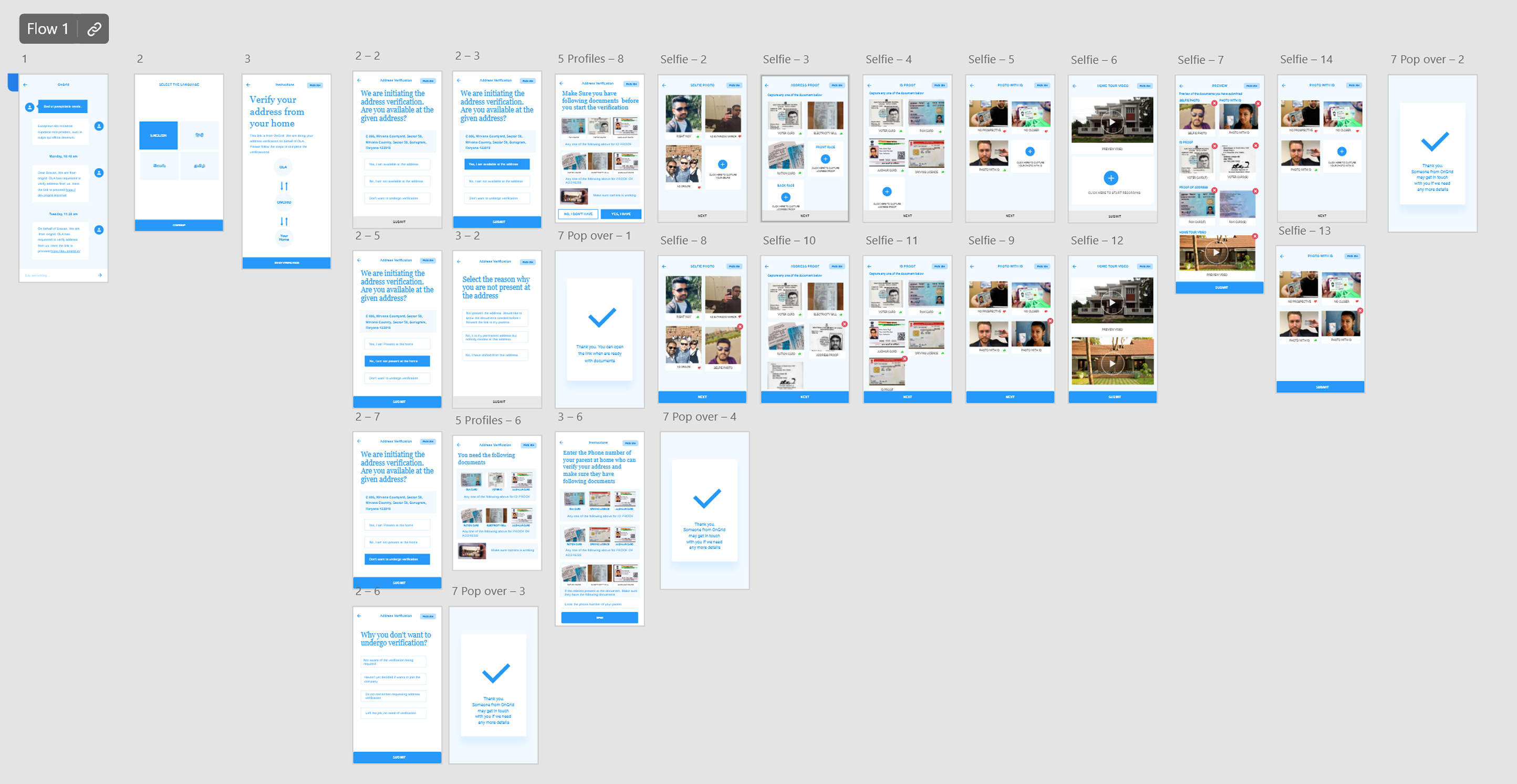
Wireframing to structure the experience

Wireframes were built to structure the interface before introducing visual polish, allowing stakeholder feedback to focus on flow and information hierarchy rather than aesthetics. We tested prototype with 8 candidates across both user segments before moving to high-fidelity screens.

DAV wireframes
Interface Design

Key UI decisions

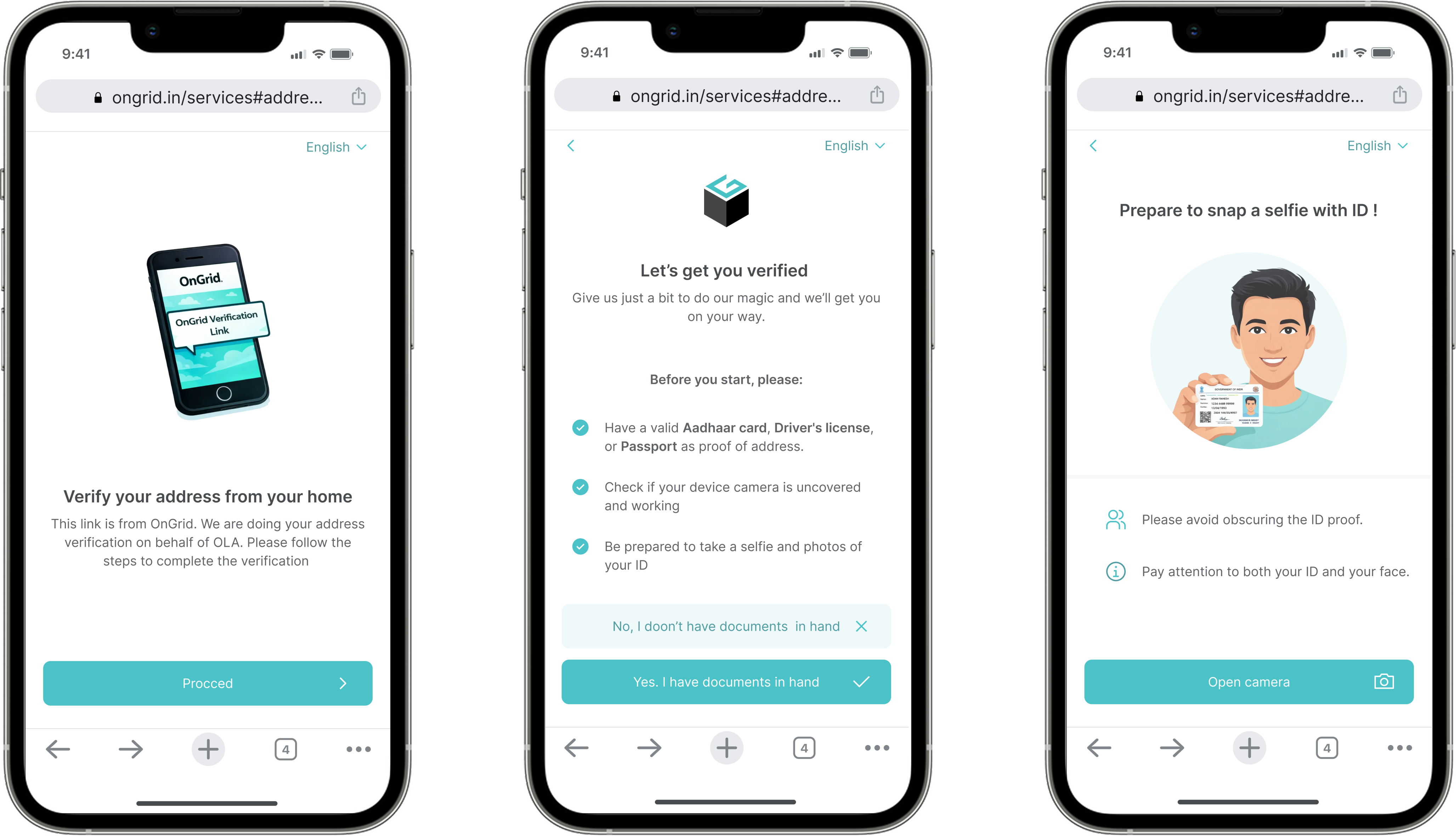
The design focused on a “simple, safe, and guided” mobile web experience:

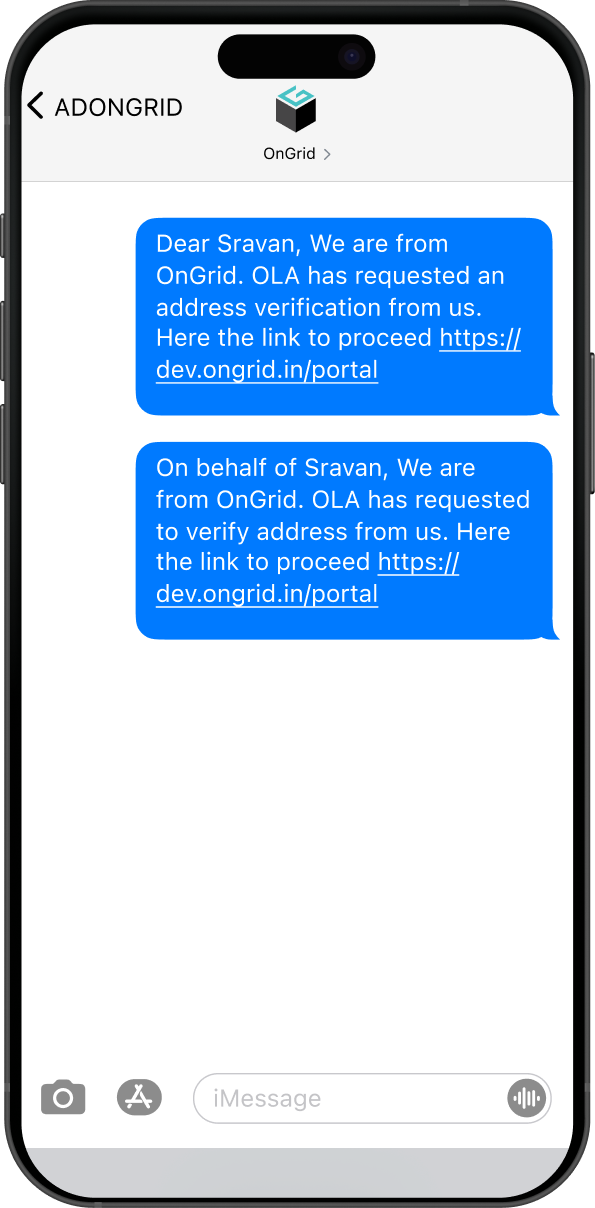
Zero-Friction Access — SMS link to DAV PWA

Zero-Friction Access

Using a PWA to eliminate the need for app downloads, which often deters users with limited storage or slow internet.

Rationale

Many users have limited storage, slow internet, or older phones. Requiring an app install would add friction before the process even begins.

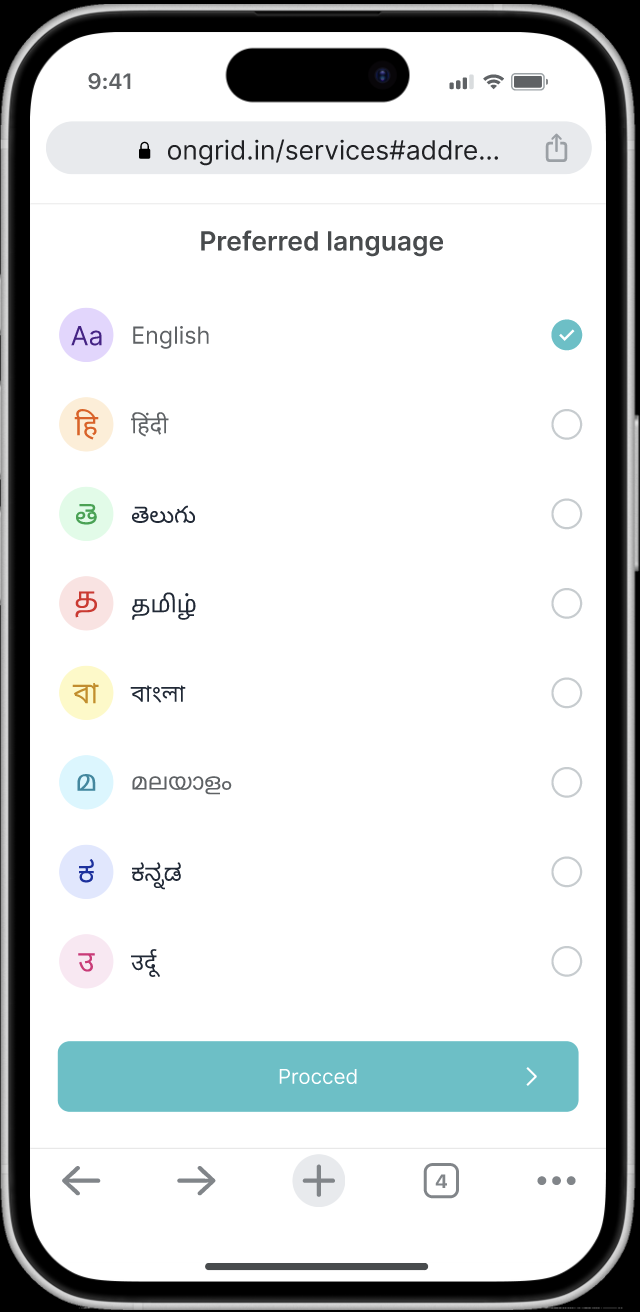
Language Selection at Entry Point

Users are asked to select their preferred language immediately after opening the link.

Rationale

Since instructions involve sensitive actions (ID capture, selfie, home video), understanding is critical.

Language selection at entry
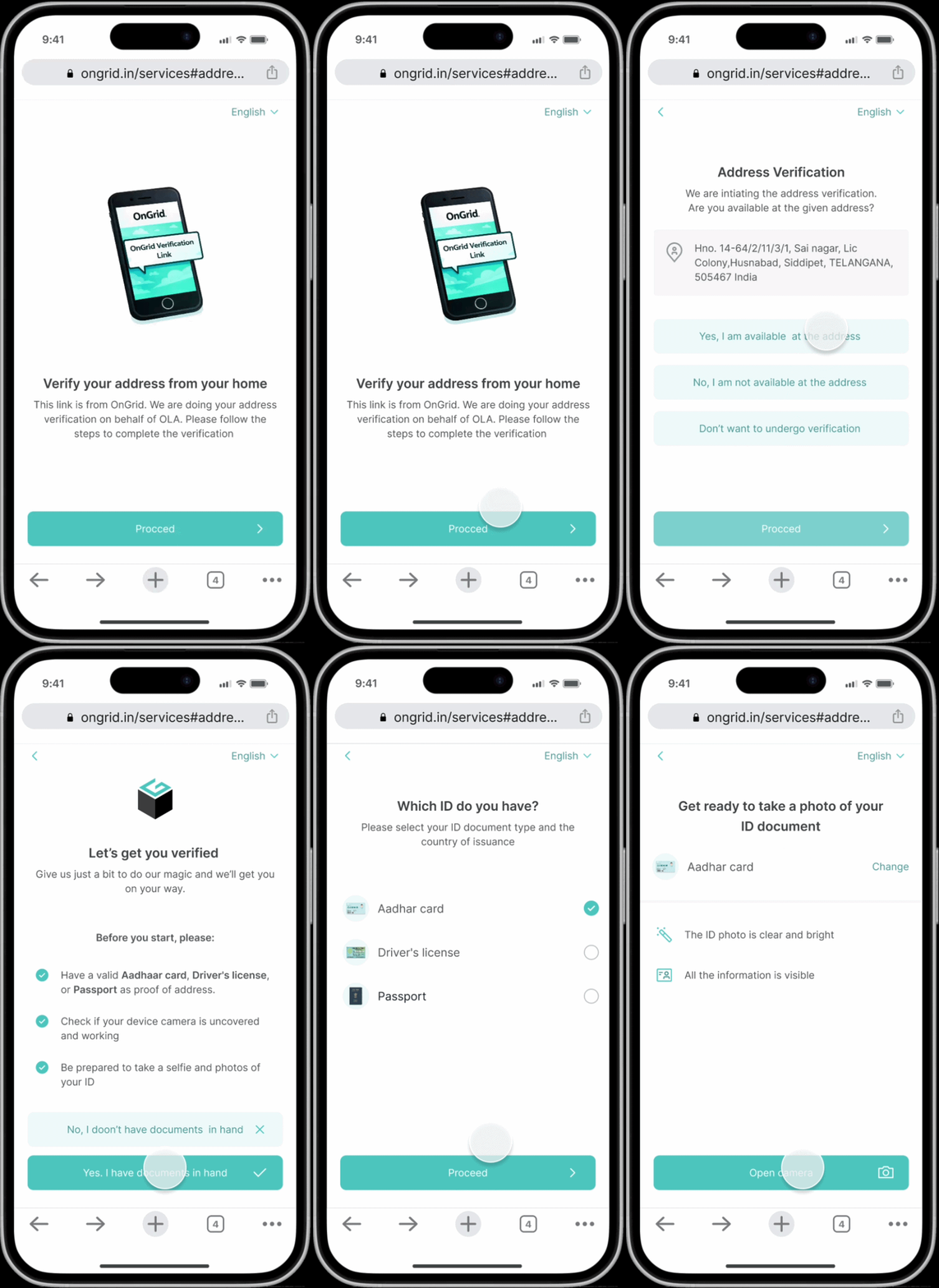
Progressive disclosure — step-by-step flow

Progressive Disclosure

Implementing a linear, step-by-step flow to prevent cognitive overload.

Rationale

Many users are unfamiliar with digital verification flows. Showing multiple steps or options at once increases confusion and abandonment.

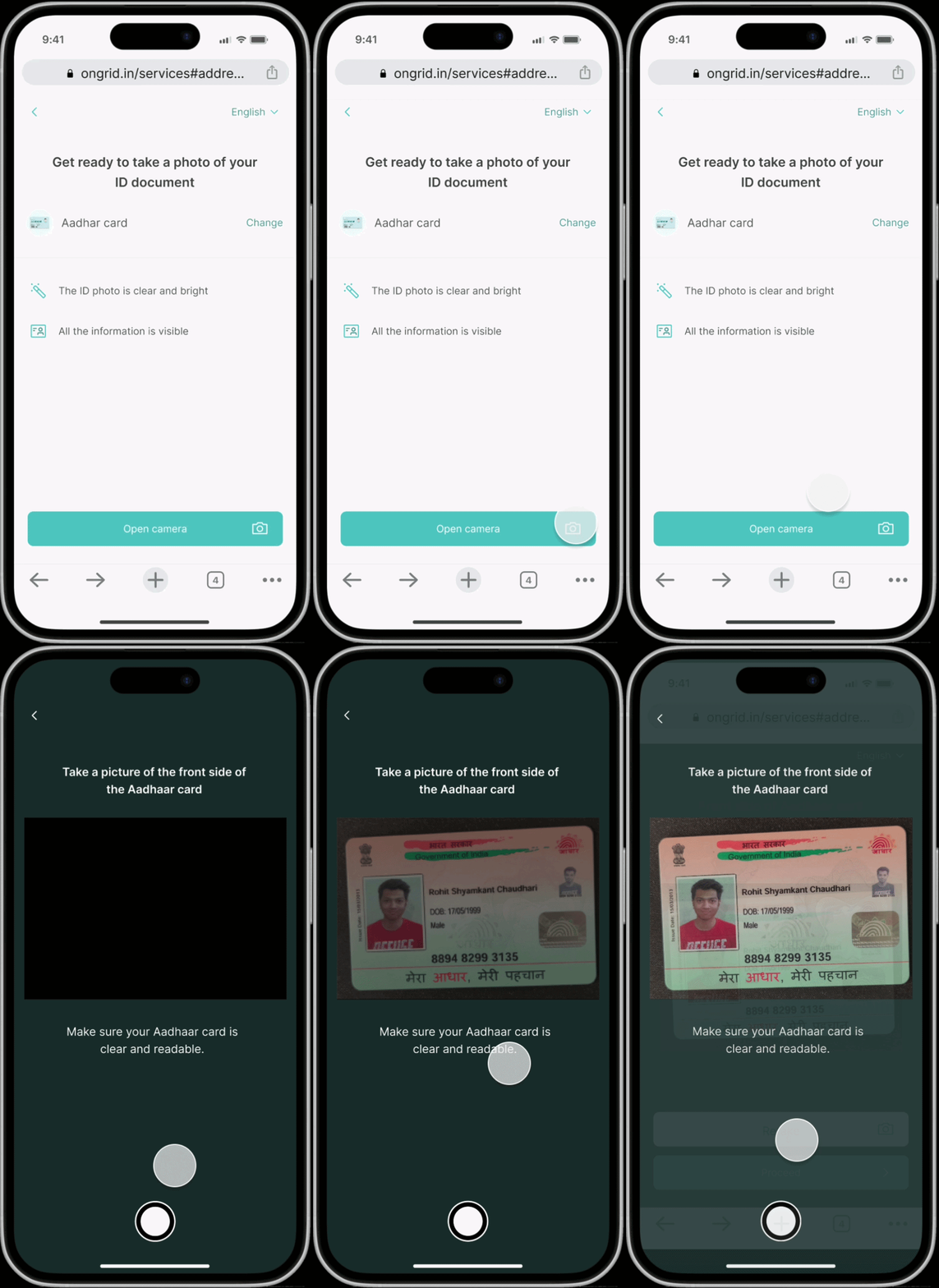
Guided Capture

Offering clear camera instructions and image previews to give users control and confidence before final submission.

Rationale

In a high-stakes flow involving personal documents, users need reassurance and control.

Guided capture — camera instructions and preview
Outcomes

Impact of the design

01

Reduced reliance on field agents for physical address verification — enabling digital-first verification at scale

02

Progressive disclosure and step-by-step structure significantly lowered form abandonment among low-literacy users

03

Trust-layer interventions (data disclosure, employer context, confirmation receipts) improved submission completion rates

04

The flow served as a foundation for OnGrid's broader self-serve verification product suite

Want to see more?

Get in touch.